Call us: +919217844785

If you’ve ever typed or thought:
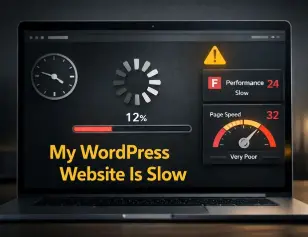
“My WordPress website is slow, and I don’t know why.”
—You’re not alone.
This is one of the most common complaints from small business owners using WordPress. And here’s the uncomfortable truth that most hosting companies and freelancers won’t admit.
A slow WordPress website is usually caused by poor setup, not WordPress itself.
Speed directly affects:
- User experience
- Search engine rankings
- Leads and sales
- Brand trust
If your website takes too long to load, visitors leave before they even see what you offer. In this article, we’ll explain why your WordPress website is slow, what’s actually causing it, and how to fix it properly.
Table of Contents
1. Cheap or Poor-Quality Hosting
This is the #1 reason my WordPress website is slow for most businesses.
Shared hosting with hundreds of websites on one server means:
- Limited resources
- Slow response times
- Frequent downtime
No amount of plugins can fix bad hosting.
Fix:
- Choose WordPress-optimized hosting
- Avoid overcrowded shared servers
- Upgrade to better plans as traffic grows
Hosting is the foundation. Weak foundation = slow website.
2. Too Many Plugins Installed
WordPress plugins are powerful—but excessive plugins are dangerous.
Common mistakes:
- Installing plugins “just in case.”
- Using multiple plugins for the same task
- Outdated or abandoned plugins
Every plugin adds code, scripts, and database queries.
Fix:
- Delete unused plugins (don’t just deactivate)
- Replace multiple plugins with one well-coded plugin
- Regularly audit plugin performance
If my WordPress website is slow, plugins are always a suspect.
3. Unoptimized Images
Large images are silent speed killers.
Uploading images directly from your phone or designer without compression leads to:
- Huge file sizes
- Slower page loads
- Poor mobile performance
Fix:
- Compress images before uploading
- Use modern formats like WebP
- Set proper image dimensions
- Enable lazy loading
One unoptimized image can slow down an entire page.
4. No Caching Enabled
Without caching, WordPress:
- Loads everything from scratch
- Queries the database on every visit
- Uses more server resources
This makes your site unnecessarily slow.
Fix:
- Use a reliable caching plugin
- Enable browser caching
- Enable page caching and object caching
Caching is not optional. If your WordPress site has no caching, it will be slow.
5. Heavy or Poorly Coded Theme
Not all WordPress themes are created equal.
Many “fancy” themes come with:
- Unused scripts
- Heavy animations
- Page builders are loaded everywhere
They look impressive but destroy performance.
Fix:
- Use lightweight, performance-focused themes
- Remove unnecessary theme features
- Avoid bloated multipurpose themes
A clean theme beats a flashy one every time.
6. No Content Delivery Network (CDN)
If your visitors are far from your server location, your site loads more slowly for them.
This is especially common when:
- Hosting is outside your primary market
- You serve users across multiple regions
Fix:
- Use a CDN to deliver static content faster
- Reduce latency for global visitors
- Improve load times worldwide
A CDN doesn’t fix everything—but it helps a lot.
7. Outdated WordPress, Themes, or Plugins
Running outdated software is bad for:
- Speed
- Security
- Compatibility
Old code = inefficient performance.
Fix:
- Keep WordPress core updated
- Update themes and plugins regularly
- Remove unsupported plugins
If my WordPress website is slow, outdated components are often involved.
8. Database Not Optimized
Over time, your WordPress database fills up with:
- Post revisions
- Spam comments
- Temporary data
- Plugin leftovers
This slows down queries and backend performance.
Fix:
- Clean the database regularly
- Remove unnecessary revisions
- Optimize tables safely
A bloated database = a sluggish website.
9. No Performance Monitoring
Many business owners don’t even know how slow their website is.
Without monitoring:
- Problems go unnoticed
- Speed keeps degrading
- You lose visitors silently
Fix:
- Test speed regularly
- Monitor Core Web Vitals
- Identify slow pages and elements
You can’t fix what you don’t measure.
10. No Ongoing Maintenance
This is the long-term killer.
Most people build a website and forget it. Over time:
- Plugins conflict
- Files accumulate
- Performance drops
Then one day they ask:
“Why is my WordPress website so slow?”
Fix:
- Schedule regular maintenance
- Perform speed audits
- Optimize continuously
Websites are not “set and forget” assets.
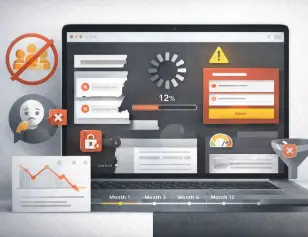
How a Slow WordPress Website Hurts Your Business
If your WordPress website is slow:
- Users leave quickly
- Google ranks you lower
- Leads decrease
- Paid ads become expensive
- Brand trust drops
Speed is not technical vanity. It’s a business requirement.
Final Thoughts
If you’re frustrated thinking “my WordPress website is slow”, the solution is rarely just one plugin or quick fix.
It’s about:
- Proper hosting
- Smart setup
- Regular optimization
- Ongoing maintenance
When all of these work together, WordPress is fast, reliable, and scalable.
Need Help Speeding Up Your WordPress Website?
At Backend Spark, we help small businesses:
- Fix slow WordPress websites
- Optimize performance & Core Web Vitals
- Remove bloat and unnecessary plugins
- Maintain websites for long-term speed
Get a free WordPress speed audit and find out exactly why your WordPress website is slow.
I hope you enjoy this post, and if you want to receive future updates, please follow Backend Spark on Facebook and Instagram.